Hello,
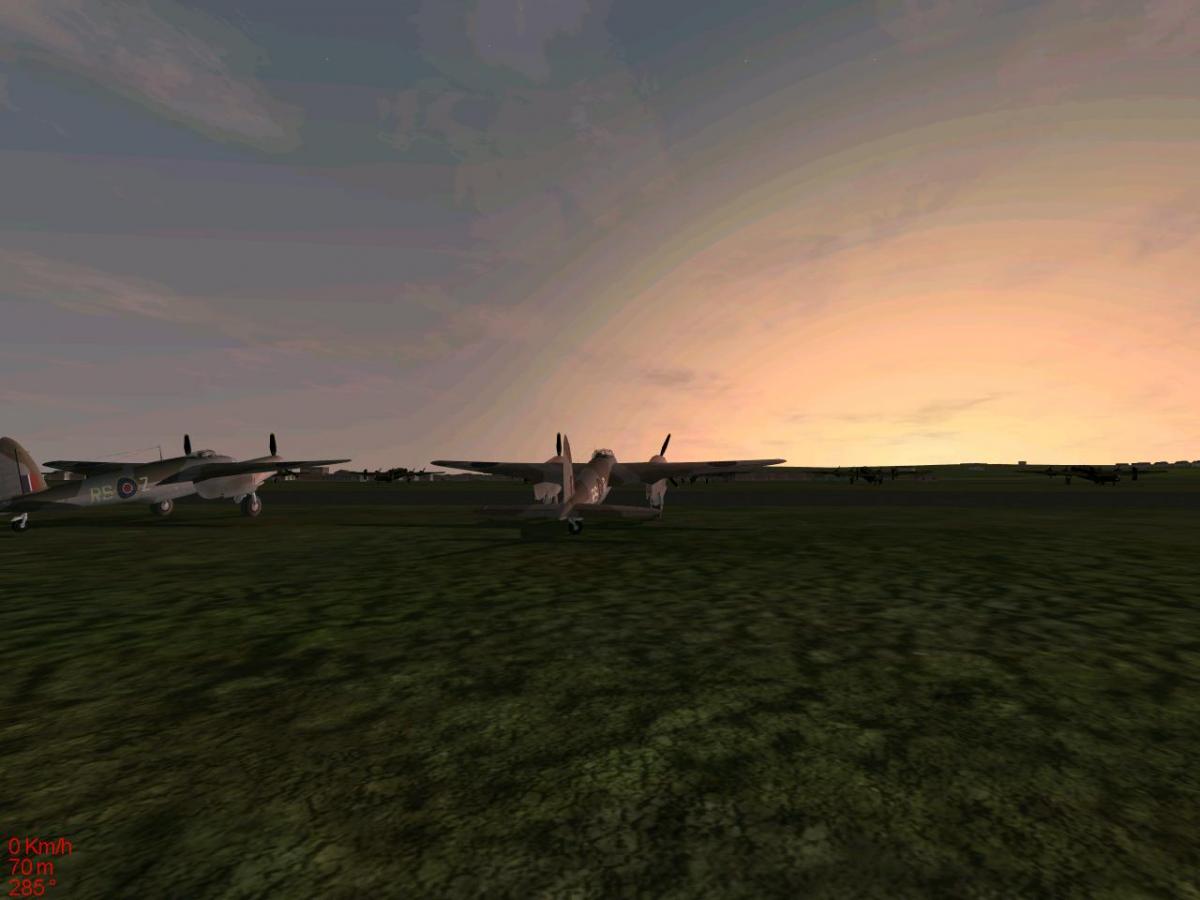
I have just installed gtx460 into my machine, gone through some tweaks as discussed in previous threads but am getting the image below
Any thoughts or any one around to guide me through settings?


By Friar, Nov 16, 2012 in Hardware Hell
Hello,
I have just installed gtx460 into my machine, gone through some tweaks as discussed in previous threads but am getting the image below
Any thoughts or any one around to guide me through settings?
Hi Col - it looks like your game is running in 16 bit colour. Here's a bit of conf.ini..............
[window]
width=1920
height=1200
ColourBits=32 <<<<<<<<<<<<<<<
DepthBits=24
StencilBits=8
ChangeScreenRes=1
FullScreen=1
DrawIfNotFocused=1
EnableResize=1
EnableClose=1
SaveAspect=0
Use3Renders=0


Spot on old chap, made the change and the sky now looks right.
My next question for a further 5 points...
Screen resolution...I have been mucking about with the settings and have cocked things up I think.
I have a 1920 x 1080 HD monitor
If I set the resolution in the game to the same it seems to stretched. What should my resolution be? I currently have it at 1280x960 but that looks too wide as weel.
I did have it so that the menus had a black bar eithee side but the game was fine. Now I cant seem to get back to those settings
Any offers?
I have black bars with these settings
[window]
width=1680
height=1050
ColourBits=32
DepthBits=24
StencilBits=8
ChangeScreenRes=1
FullScreen=1
DrawIfNotFocused=0 <<<<<<<<<
EnableResize=0 <<<<<<<<<<
EnableClose=1
SaveAspect=0
Use3Renders=0


Brilliant, thats got it back to what I had it at before. 5 points to Brando and Sid
(Sid - match back on for the 9th by the way) 
Why don't we have a thread with things like this?
Including Texcompress=2, Landgeom=3, IgnoreSwep=1 ...
I'll have a go look whether we have one, if I can't find it, I'll create one!

IgnoreSwep=1

(where has the laughing dog gone from the smiley's?)
Interestingly FT, when I was looking for threads on this subject Fruitbat posted and he had Texcompres=0
Is this card dependant?
Interestingly FT, when I was looking for threads on this subject Fruitbat posted and he had Texcompres=0
Is this card dependant?
Yes it is. 0 is the best option if the card will hack it
Texcompres=0 will work if you have plenty of memory on your video card, Fruitbat obviously hás plenty.
New thread on this subject: Popular Il-2 Config Settings, Widescreen, Graphics And Others
(texcompress=0 is listed there if you have troubles loading big missions...)
Sign in to reply.