
Time to cobble something together for christmas
By DD_Arthur, Nov 16, 2018 in Hardware Hell
Weeeeell, the cabling from the PSU to the board, cpu, drives and gpu are all the same ones that were working flawlessly on my old setup (and have been tested again since), all the sata cables to the drives are new and high spec and all the fans were reported as working correctly and PWM was working on the board when I originally installed it so I think I have that covered.
 1

Finally, in the case of my stricken (and strucken) gaming rig, there is a light at the end of the tunnel! Surprisingly, it turns out that the processor is faulty and even as I type, the fine folks at Scan are packaging up my board and a new processor ready to send back to me.
3
Oh for f**ks sake. Having spoken to Scan this morning, it turns out that the i7-9700K is out of stock and has been since the 21st December and they don't know when they're getting any more. And no one saw fit to tell me before now...
 1


3 hours ago, Sid said:Are they prepared to give you an equivalent board and processor?
No.
What they are doing is sending me back the original (non-faulty) board and after a bit of a row, they’ve agreed to give me a full refund for the processor so I’ve ordered a new processor from a different supplier for £30 less! And that will arrive tomorrow.
Bijou updatette: Board is with the courier on its way back too and the refund for the processor has also been done!
4
One down, one to go - the processor has arrived safely.
Edit: And the board has arrvied safely too
3
Burn test #1 complete (12 hours)
idle temps < 30 deg C on CPU and < 40 deg C on GPU - CPU fans < 500rpm - GPU fans off
load temps < 70 deg C on CPU and < 90 deg C on GPU - CPU fans < 1000rpm and GPU fans < 700rpm
No overclock, XMP profile 1, no fan profile (all PWM).
So far so good.
2
Guess wot I got for my birthday? Yes, a horrible, snotty, sneezing cold, hurrah
However, that did mean I got three uninterrupted hours of daylight on my own at home to finally get on with this build

No, not very neat at the moment but I just wanted to get it up and running. Which it does! and without having to phone my good m8 Bill Gates either. I've also taken the precaution of carefully plugging my TrackIr and MSFFB stick into USB 2.0 ports so no problems there.
Next step is to fit a couple of SSD's and then rip out the old HD and put it back in my old pc. Then tidy up the cabling and put the very sexy smoked glass cover on.
There could be one snag though. I bought a new EVGA semi modular power supply. Stupidly, I've got a 650w one and just realised the one in my old machine is 750........doh!
Edit; oh yeah, how about red led's?
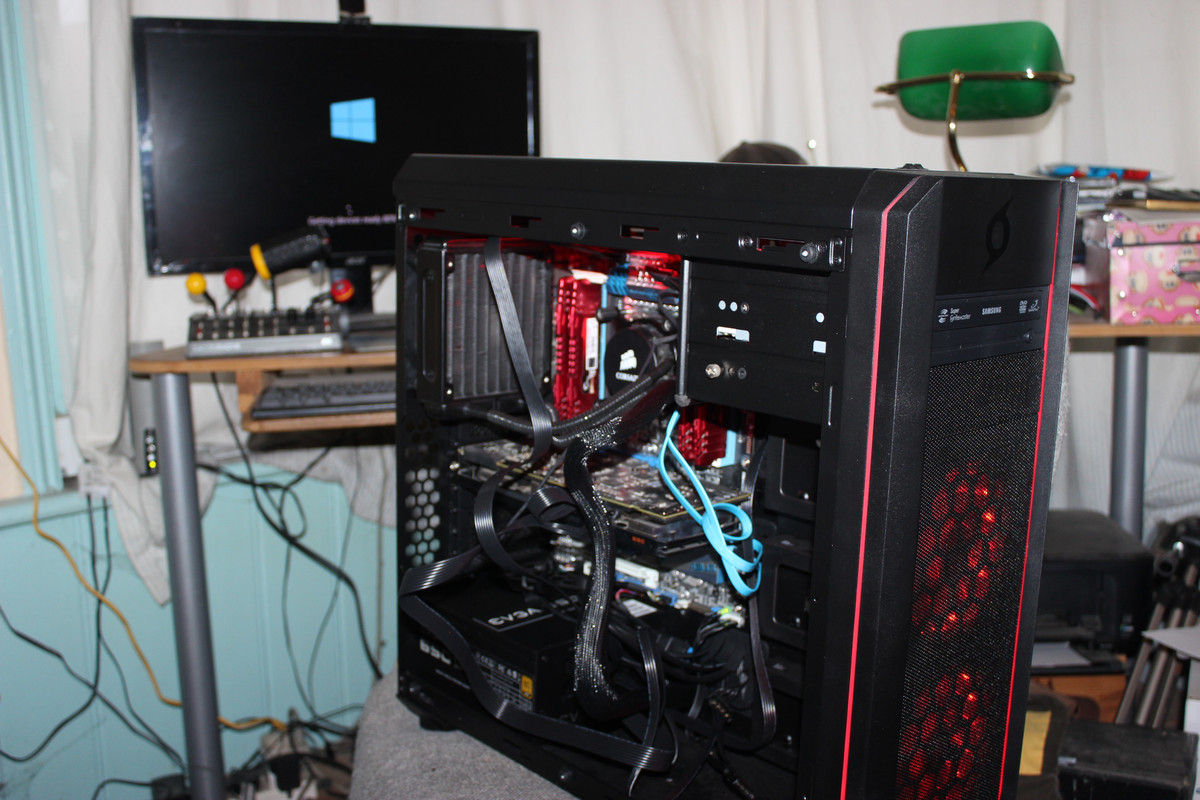
or green or yellow or purple or all flashing at the same time
2

650W should be enough Arthur - your maximum power requirement should be somewhere in the 550W mark so you've got some overhead.
Looks good though mate, I'll post some pics of my new build soon - it's not quite finished yet though - still tweaking.
Yeah, I went through quite a decent power calculator and it came up with @550w too. I am going to have to take the cooler off and redo the paste. It's running too hot under load.
I put a pea's worth of a blob on the centre of the cpu and then put the water cooler base on but - surprisingly - the way the cooler is bolted to the mobo strikes me as very Heath-Robinson.
Also helps to have three hands so I think I'd better give it another go.
What should I remove the old paste with? I've got nail varnish remover* and what do we think is the best way to apply it?
*No Painless, we're just not going there ok.......
Just wipe it off - I usually use a paper towel / handkerchief some stuff whatever... then a blob of the new stuff and glob's yer uncle ...
(Mind you, I've had to redo mine as well - at least once - oh well, better not listen to me then ... )

Having taken off most of the gunk with a paper towel, I then use an alcohol based TIM cleaner (but straight alcohol is fine) applied via a clean paper towel to complete the clean-up. Then a small blob of new gunk - about the size of a cooked grain of rice is enough - which (and this is optional) I then carefully spread out over the chip surface before plonking the water block back on and screwing if down (finger tight only!). I've never had to remount a cooler due to over temps using this method.
OK, took the cooler block off and cleaned it all up and re-applied some old thermal paste I had that wasn't made in China and hey presto! Had it running a stress test in turbo mode for a couple of hours and nothing exceeded 70' and all six cores were within 2' of each other too so I'm happy with that.
Fitted my new SSD and got it recognised by Windows as E drive. The plan is to fit a second SSD in the very near future and transfer the contents of my fairly full spinning HD onto that and it'll become the C drive.
Also moved DCS onto the SSD where it does indeed load up faster and.....thats where some awkwardness started.
Now of to post in our DCS forum.
1 minute ago, DD_Arthur said:OK, took the cooler block off and cleaned it all up and re-applied some old thermal paste I had that wasn't made in China and hey presto! Had it running a stress test in turbo mode for a couple of hours and nothing exceeded 70' and all six cores were within 2' of each other too so I'm happy with that.
Fitted my new SSD and got it recognised by Windows as E drive. The plan is to fit a second SSD in the very near future and transfer the contents of my fairly full spinning HD onto that and it'll become the C drive.
Also moved DCS onto the SSD where it does indeed load up faster and.....thats where some awkwardness started.
Now of to post in our DCS forum.
Just a tip: Be careful if you are going for a new Windows 10 install. Make sure that no other disks are connected when you do that, as Windows may just decide to have/keep/use a different disk as system boot disk than you might expect. Meaning after install, you remove one of the old disks, and presto, no windows no boot no more
I'll bare that in mind FT.
However, I was going to go the lazy dunce route and simply copy the complete contents of my old HD onto a new, empty SSD, rename in C drive and then pull out the old HD.
Would this be unwise?
Sign in to reply.