
Hello,
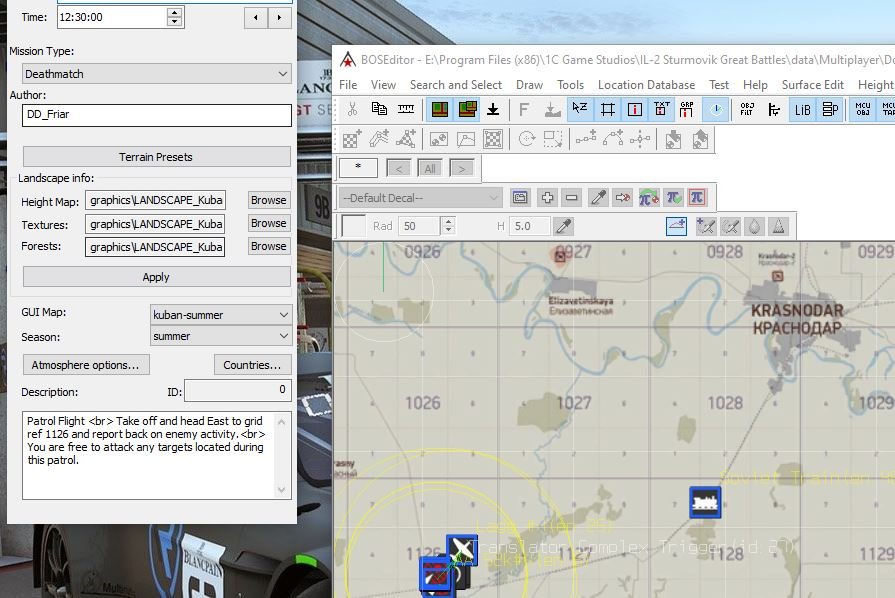
I was working on building missions yesterday, all good. This morning when I try and open my map the properties box has located itself in the very top left hand corner of the screen (see picture below)
I can not drag it. I have closing the application and re-opening. I have tried re-sizing the screen and putting it back.
When I click on an object to set its properties I am losing most of the box so I can not get at the settings?
Any ideas?
The picture attached is a snipit from the very top left of my screen


 1