Settings

By Sid, Aug 21, 2020 in Microsoft Flight Simulator 2020

Posted August 21, 2020

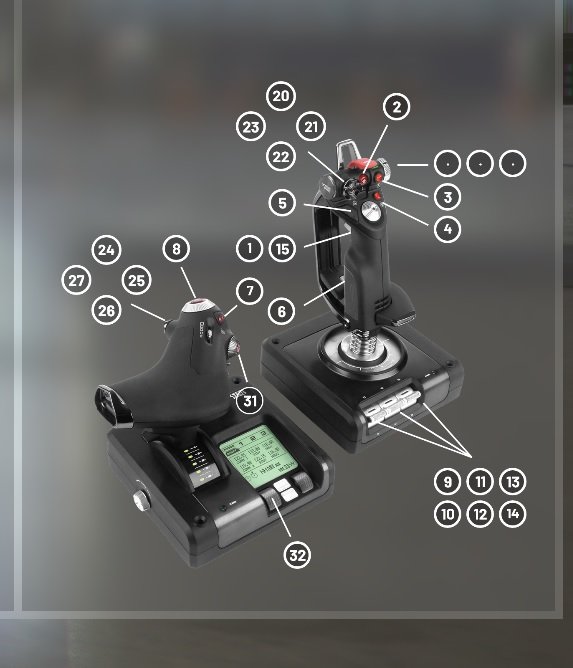
So far I am flying using just the Saitek X52 hotas and rudder pedals and Trackir. Seems enough. The game recognised my controllers and in the Controls section I get a piccie of the stick and what the buttons are allocated to. Easy to print off and write on as a quick reference.

MsFS stick controls.jpg

large.a_aniahco.GIFbeaufightersig.JPG


Posted August 21, 2020

My MSFFB2 is recognised by the game but it does not have a key assignment. I managed to map the essentials to it but for my throttle I think I’m going to have to write the lever and switch numbers down and then add them through the game. I haven’t found a way to adjust stick sensitivity yet.

gallery_440_79_39944.png
Posted August 21, 2020
13 hours ago, DD_Arthur said:

 I think I’m going to have to write the lever and switch numbers down and then add them through the game.

I think I've found a way to do this Arthur without having to write down the numbers - be happy to walk you through the process at some point.

new sig copy.jpg

Posted August 21, 2020
1 hour ago, Jabo said:

I think I've found a way to do this Arthur without having to write down the numbers - be happy to walk you through the process at some point.

Yeah, I'm up for it.:salute:

Oh course, it means wearing my Oculus Rift backwards again...sigh...  

gallery_440_79_39944.png

Sign in to reply.


