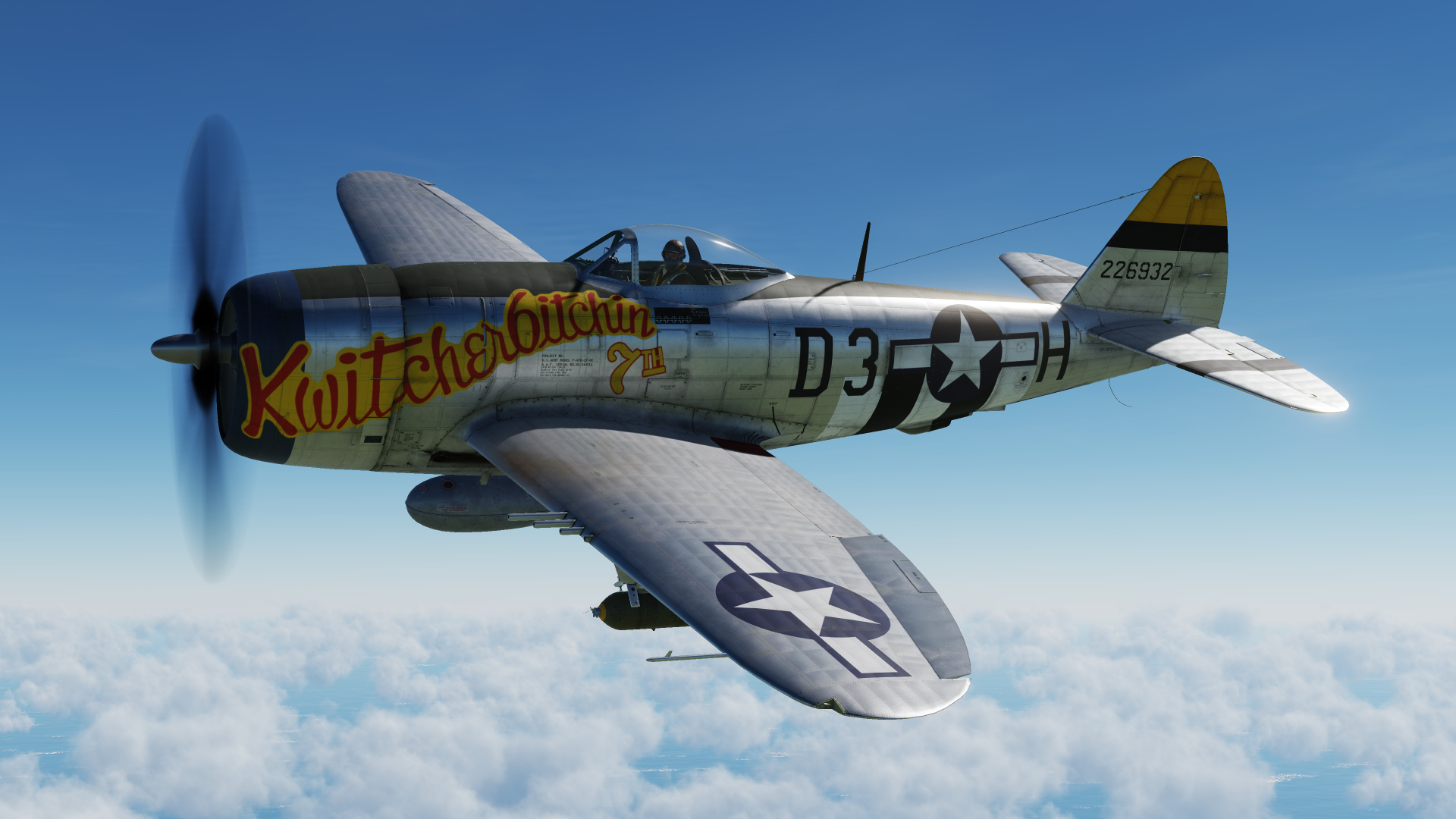
Bo_Nidle, long time skinnerf rom Il-2:1946 has released some skins for the DCS-P47.
They're gooood.


FIND THEM HERE:
 1


By DD_Fenrir, Jan 19, 2021 in DCS Series
Bo_Nidle, long time skinnerf rom Il-2:1946 has released some skins for the DCS-P47.
They're gooood.
FIND THEM HERE:
1
Yeah, but, now, like as in always in DCS installation... where do I put these folders?? So lost!

Found the proper place. I think. I hope: \DCS\CoreMods\WWII Units\P-47D-30\Liveries\P-47D-30
 1
There's a path in SavedGames/Liveries that also works. The module folders need to be named in an exact way that DCS recognizes. Probably not an issue as you already get the folder in the skin .rar file, but I for example had an issue with the Mi-8 because the folder was named Mi-8MTV, whereas DCS only recognizes Mi-8mt for some reason.
1


For some reason the saved games location doesn't work for some planes, notably the f 14 springs to mind.
It should, but, hey DCS....
I've taken to putting all my skins in the path FT linked, as that always works!
1

B-52 Electronic Warfare Officer (EWO) veteran Jack Donovan’s natural response, when he was introduced to the tactics and mission details. His exact reply was: “you want me to fly in the back of a little tiny fighter aircraft with a crazy fighter pilot who thinks he’s invincible, home in on a SAM site in North Vietnam, and shoot it before it shoots me, you gotta be shitting me!
The Saved Games folder is recommended by ED for Third Party Skins as it keeps the core game folder structure and the files within, sterile. Should you need ever to run a repair on your DCS install, it will flag ANY third party skin content as potentially worthy of removal and if you were careless or inattentive you could potentialy lose all of your downloaded skins.
However, the issue with the Saved Games Folder is that it is natively on the C:/ or operating system drive and if, like me, that is rapidly reaching capacity, having a lot of skins in the Saved Games area will bloat it considerably.
2
Careless? Never! But, I couldn't care less.
Inattentative? I've been spending plenty of vacation/holidays camping in a tent, in Holland, Belgium, France, Germany, even in Spain, thank you very much!
Another!
Arizona / Loraine" flown by Lt Earl Kielass of the 368th Fighter Group, 396th Fighter Squadron.
Also a 396th coded generic skin to make up flight numbers.
"Arizona / Loraine" https://www.digitalcombatsimulator.com/en/files/3315323/
396th Generic https://www.digitalcombatsimulator.com/en/files/3315328/


Generic

2
Sign in to reply.