I have had a look at the video Fruitbat posted about how to use the TACAN in the T-45 however I dont think it is working the same now? (unless I am doing it wrong, which is a high possibility)
I wanted to navigate to the carrier which has a code of 74X STN.
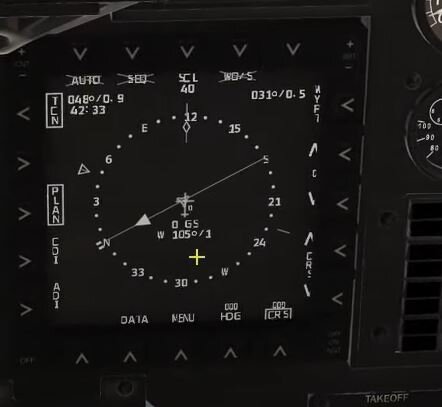
I plugged 74 into the TACAN box and switched on. The button to select X/Y does not seem tot work? I set the left display to TCAN but the display did not show the icon for the TACAN as demonstrated in the video, plus the heading seemed out?
Is there any chance someone who knows about these things could try setting it up and tell me if there is an issue or it is me doing something wrong?
The video i linked was for the A4E, not the T-45, that might be some of the problem
B-52 Electronic Warfare Officer (EWO) veteran Jack Donovan’s natural response, when he was introduced to the tactics and mission details. His exact reply was: “you want me to fly in the back of a little tiny fighter aircraft with a crazy fighter pilot who thinks he’s invincible, home in on a SAM site in North Vietnam, and shoot it before it shoots me, you gotta be shitting me!
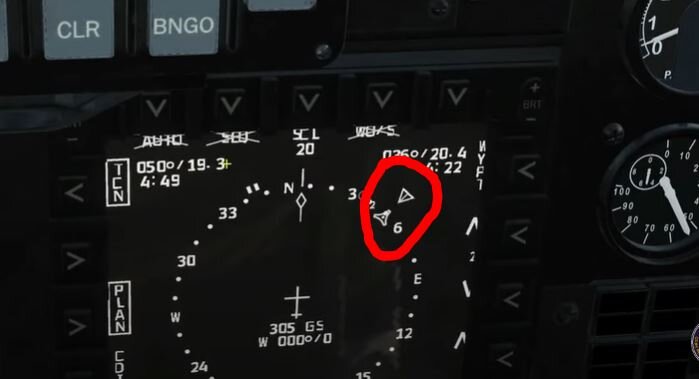
No, I have watched Grim Reapers video for the T-45 and it clearly shows the TACAN symbol in the direction I need to fly (see attached) but when I try and do it I do not see the icon?
When I get back home later on I'll have a look in the t-45.
B-52 Electronic Warfare Officer (EWO) veteran Jack Donovan’s natural response, when he was introduced to the tactics and mission details. His exact reply was: “you want me to fly in the back of a little tiny fighter aircraft with a crazy fighter pilot who thinks he’s invincible, home in on a SAM site in North Vietnam, and shoot it before it shoots me, you gotta be shitting me!