
When I first built my pc, I didn't pay attention to which disk was plugged into which slot. I didn't think it really mattered if it was disk 0, 1, 2, or 3.
Last weekend I had to restore my rig from a backup image. I had installed a new 1tb drive since that backup, so after I booted up I changed my C: and D: drives that 'were' one drive with two partitions, back into just one big C: partition. Basically I removed the D: partition and then resized the C: partition to use up all the now unused space using Acronis Disk Director. Then I reassigned the E: drive the letter D: and the new terrabyte drive from F: to E:. So, now I have C, D, and E.
Last night, I rebooted my computer, and noticed before I rebooted that Windows had an update to install on reboot. Ok, not big deal. But when it booted up it installed something and displayed some message about updating the registry entry 32,043 or something, but it looked like it was just updating one thing because that just took 5 seconds and then it asked me to Logon. I did, and it said Windows Loading or whatever it says and then black screen and nothing for about 4 minutes before I forced a reboot. Same thing happened. So, I went into Safe Mode and it seemed ok, so I rebooted normally and same problem, black screen.
So, I wanted to restore to before the 'patch' BG (Bill Gates) put on my computer to 'fix' it. But in Safe Mode System Restore does not work. It said I have to enable some service and to click the link for Help. I did click and the help had a link to click to open System in Control Panel. Again, I did click and nothing happened. I clicked again and again.. nothing... Anyhow, long story short.... I could not even open the Control panel and Safe Mode was locked up. So, I rebooted and tried again, and again. Finally, booted from the Win7 DVD and did a repair. It said some Startup information was wrong and the details showed something about booting was going to be fixed. So, I said ok...
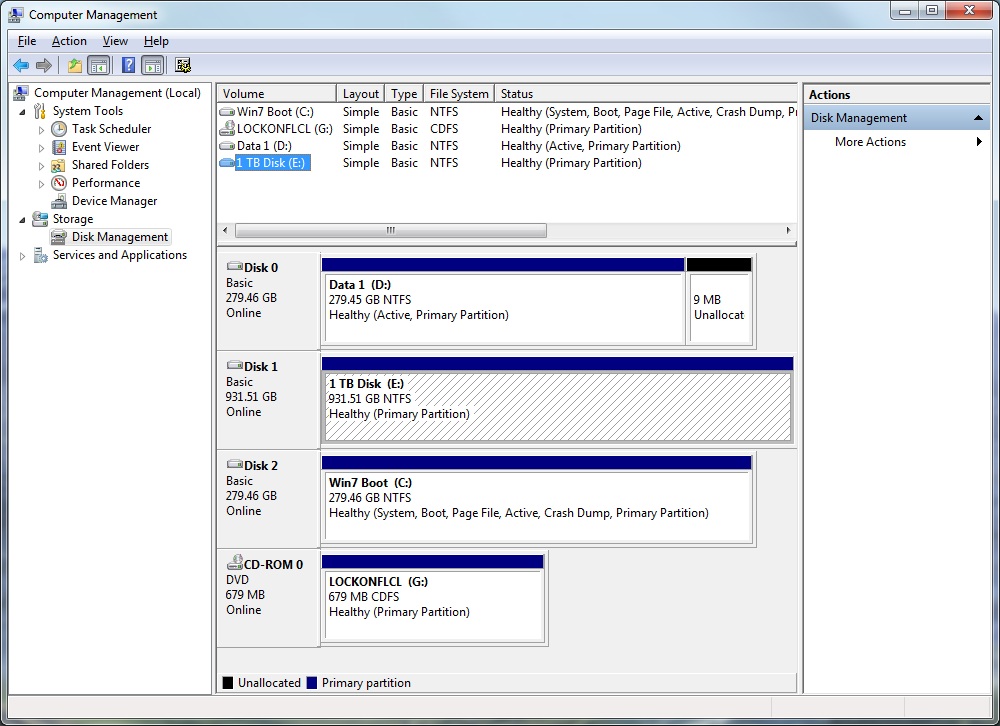
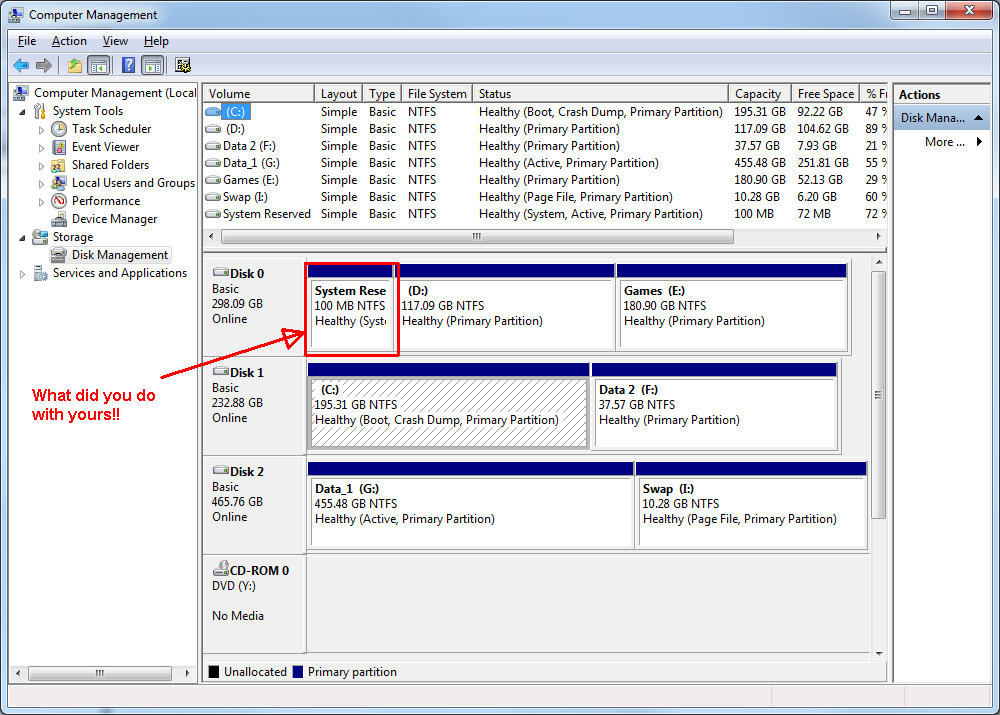
I booted normally again and had the same black screen after login. So, I decided to just watch tv and wait... After about 7-8 minutes it loaded. While in Safe Mode I did notice that Disk Management said my disks C, D, and E were Disks 0, 1, and 2. But that is not how my system was setup. Now that I am booted normally, it is correct AFAIK, it is C, D, and E is Disk 2, 0, and 1. Like this:
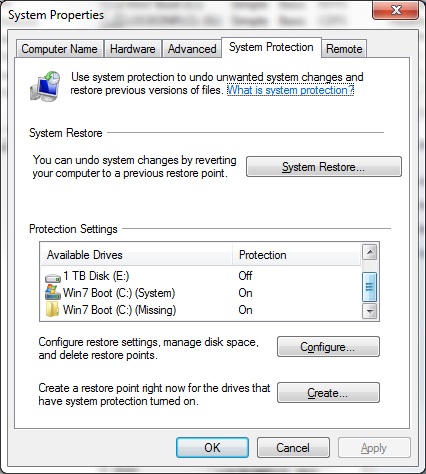
And in System Protection (System Restore settings) it says I have two C: drives and one is missing!
I did a full C backup image last night to save my ass if I can. Acronis True Image 10 took about 5 minutes to load because it was 'processing' on start. I think it was trying to figure out my disk drive configuration. This morning I did a backup image verification to be sure it was a good backup. Then I loaded Acronis Disk Director and it also took about 5 minutes to load to figure out my disk config. Then I rebooted about 30 minutes ago and it took about 5 minutes after I logged in to get to the desktop.
Does Windows care how you setup your disks? I was thinking of plugging C: into the Disk 0 slot, and D: into 1 and E into 2, but don't want to screw anything up worse.
Edit:
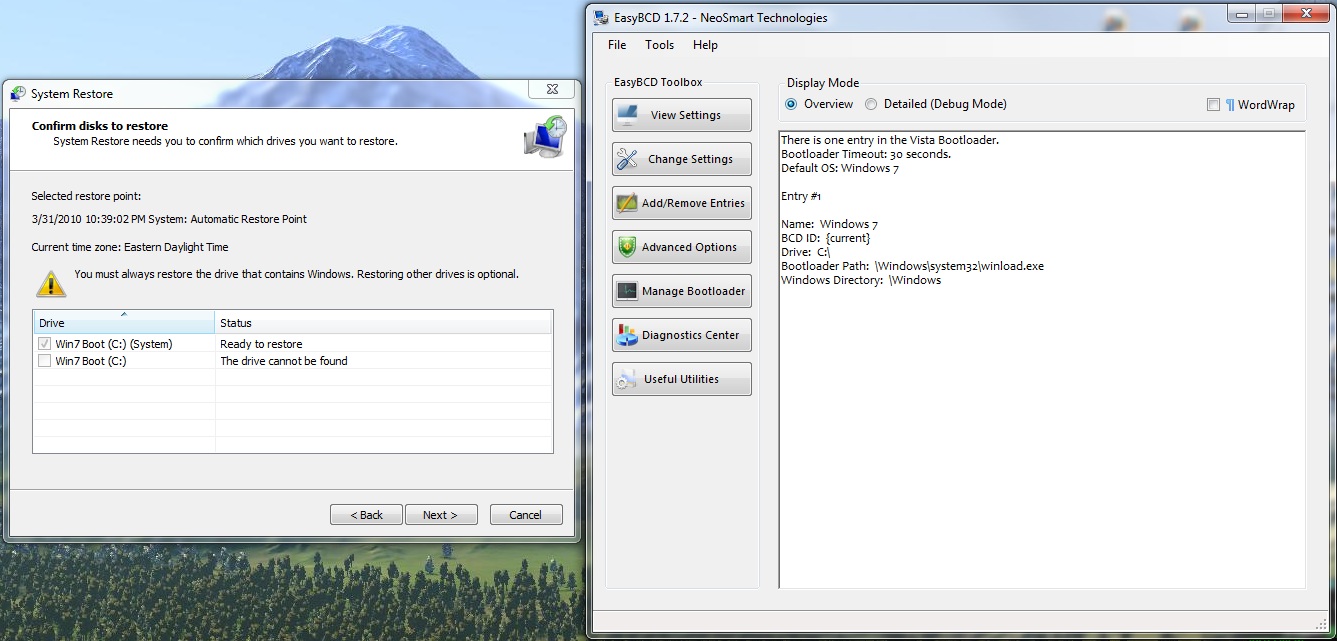
Also, I just noticed that if I look at the properties of the C drive and click on the Previous versions tab it says I have 1 previous version of C: from yesterday at 10:39pm. That was about the time I did the repair from the Windows 7 DVD. 



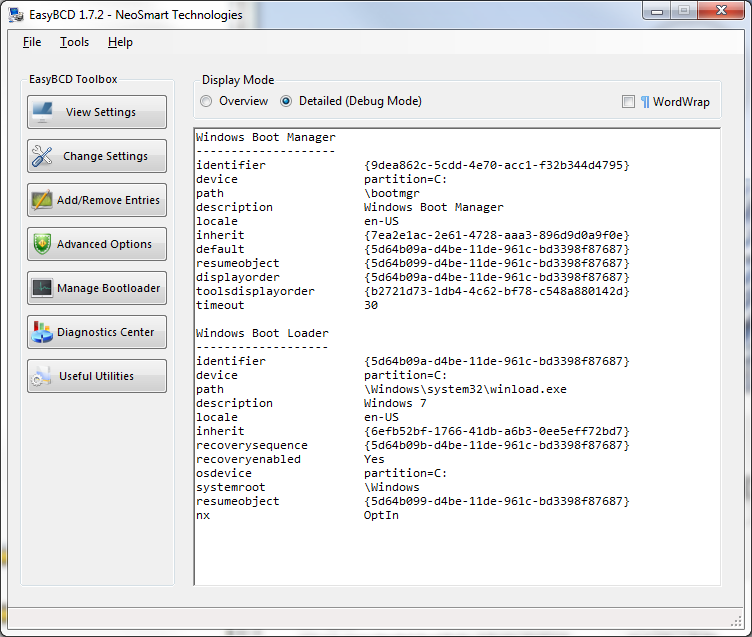

 ) - seems to work OK. One thing I have noticed though is that the drive letters do swap about depending on which OS I'm booting to (XP, 7, ubuntu), so I've taken the precaution of individually naming all the partitions so I know which drive is which regardless of the drive letter.

 E: is NOT my boot device. It is disk 1 on my system. C: is 3. So, I said NO, and Looked at some other repair options that I had not seen before. There were several tools for repair and I did one that said something about fixing Startup. It said it fixed something, and I rebooted. This time, it booted much faster, but not as good as normal, but almost.. It maybe took 30 seconds longer than normal. I am going to see how this keeps booting up. It might get faster as it figures out what is going on. Maybe I'll see what the Win7 DVD repair option says later if I still have problems...
