Jaggies All Over The Place

By Sweper, Jun 9, 2011 in Gamers Hell

Posted June 9, 2011 · edited Jun 9, 2011 by Sweper

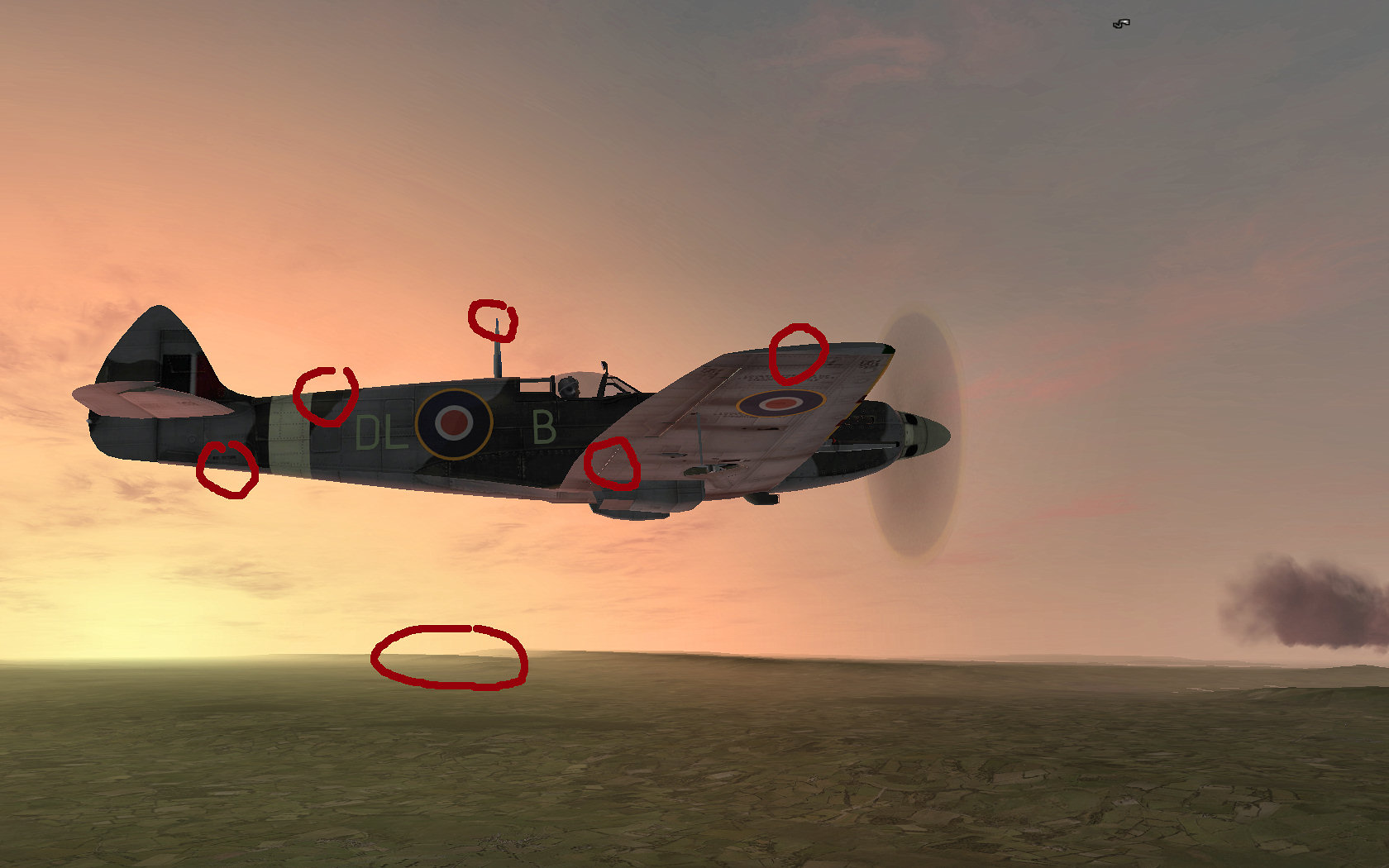
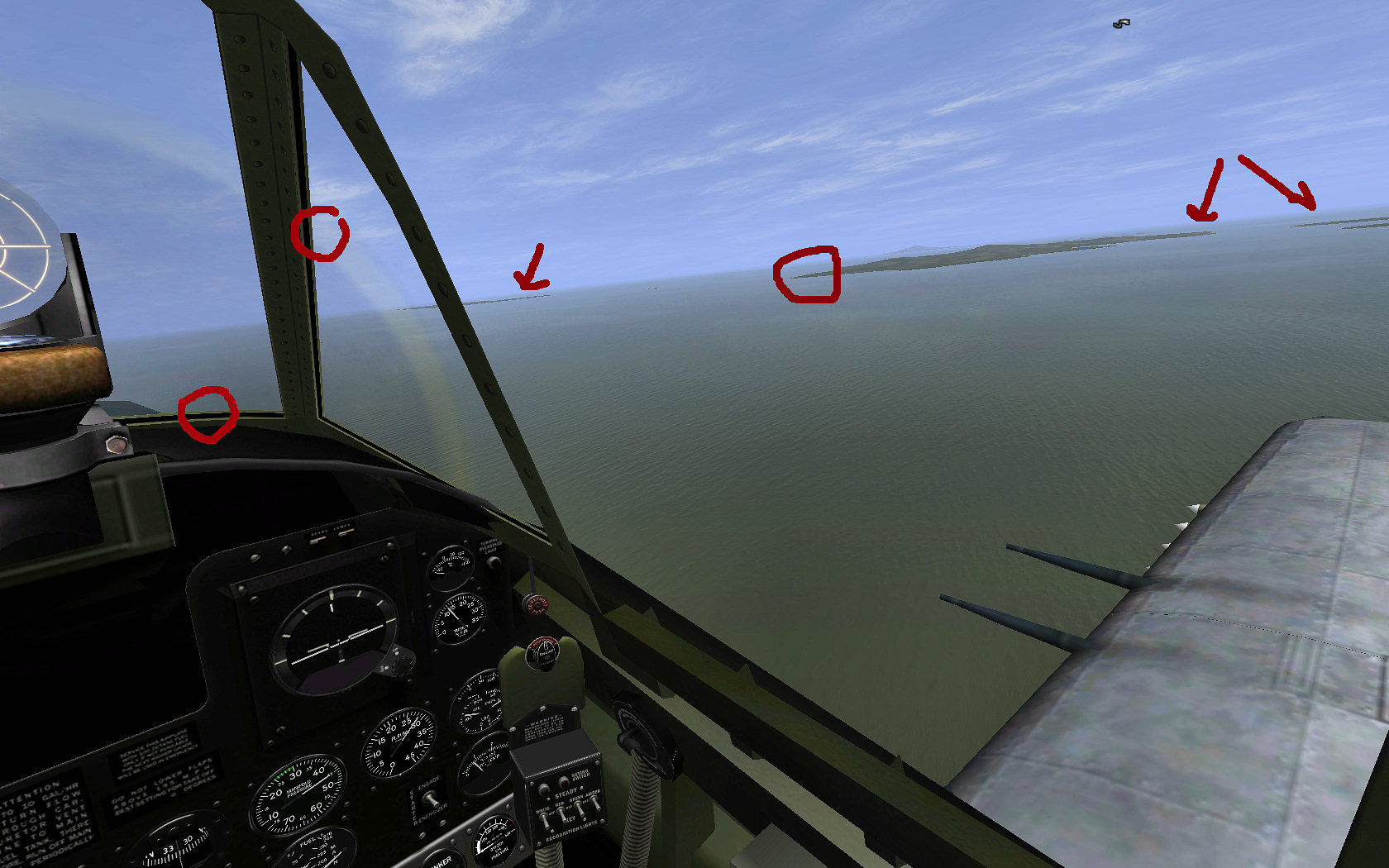
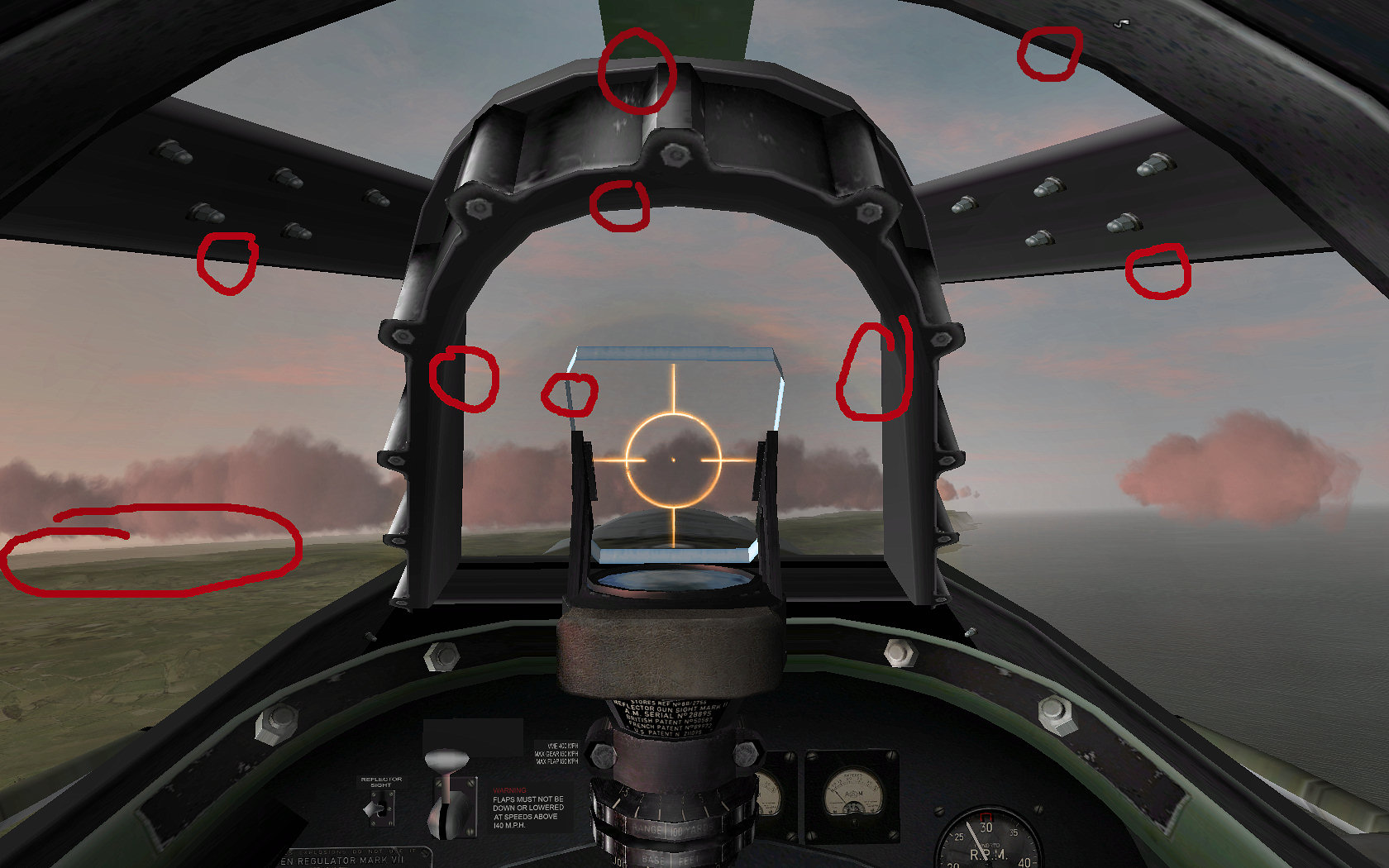
My game is running smoth and fine in general but I just hate all those jaggies which prevent making nice screenies. It is also irritating when playing the game of course. Airfields, rivers, buildings and other lines on the ground are flickering.

My videocard is a decent Asus ENGTS250 Dark Knight and 512 memory DDR3. I swapped from an older 8600GT card and the fps increased dramaticly. XP Pro, Duo E6750 and 4GB memory.

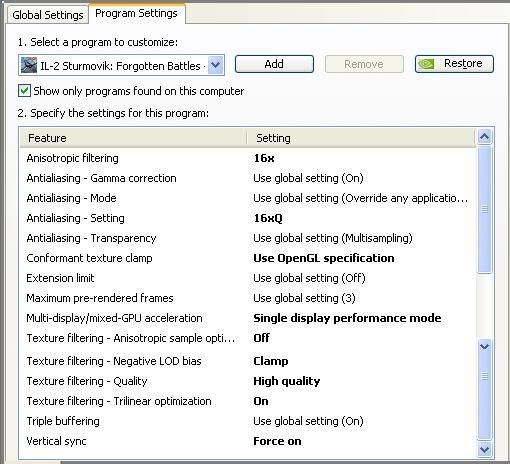
Yesterday I tried to do some changes in my Nvidia Controlpanel, like override some settings instead og Global settings, set 8x in antialising etc, but that did not help.

Any ideas?
post-540-0-53944700-1307610167_thumb.jpg

post-540-0-74380200-1307610176_thumb.jpg

post-540-0-65064700-1307610185_thumb.jpg

Posted Image


Fly High The Swedish Way!


Posted Image

Posted June 9, 2011 · edited Jun 9, 2011 by T_O_A_D

I run my IL2 @ 1600x 1200 x 32

With my 260 I had it set like this

IL2profile-1.jpg

and I was also able to run it like this.

IL2profile.jpg

With both setting arrangements, I don't recall jaggies being a problem.

When you upgraded your card did you use Driver Cleaner and remove all the older Video drivers before installing the new software for the new card?

I still have that machine, If need be I'll hook it back up and confirm the settings those screen shots are from a couple of years ago.

My 260 also has 896 ram instead of 512 too, so I'm not sure how much that plays into the jaggies.

edit went looking for when I first bought the thing and found this old thread,

http://www.gozr.net/iocl/viewtopic.php?f=2&t=709

Some stuff in it that might help.

Posted June 9, 2011

Toad, I´m using all standrad as settings now, so it looks quiet differnt to yours. When I changedd some of the settings yesterday, it looked even worse. I don´t remember if I deleted all old nividia files before the installation of my new card. It sure warnes you to do so I remember. Maby I should start from the beginning since I found a driver update for my 250 on Asus homepage. I have the first one from 2009 and there are like 4 between mine to the latest.

Regarding the link, I noticed jaggies on the river coastline on the your last pic, but not on any of the pic´s above the last one. Strange.

So, how do I conduct a new driver installation the best way? I have already downloaded the file.

Cheers

Posted Image


Fly High The Swedish Way!


Posted Image

Posted June 9, 2011

You do driver updates by making sure the first step is correct.

Unless on a laptop NEVER EVER rely on the manufacturer for the best or latest driver.

Instead head over to the chipset maker.. In your case this will be nvidia.com

When you get there they have a detection utility that will suggest the version you need for your card.

Get a driver cleaner for nVidia from GuRu3d..

Install driver cleaner.

Once you have the driver downloaded you then un-install current driver.

Reboot into safe mode.

Run driver cleaner and remove nVidia driver remnants.

Reboot and then install new drivers.

Posted June 9, 2011 · edited Jun 9, 2011 by T_O_A_D

+1

Manufacture drivers are seldom ever good enough for gaming.

http://www.guru3d.co.../driversweeper/

As for the pics in that thread,

Don't hold me to it, its been awhile, and I'm sure I kept tweaking from that point.

Posted June 9, 2011

just to make sure, in your nvidia control panel, make sure your profile is for the il2fb.exe, NOT the il2.exe, otherwise the settings won't take.

large.DD-Signature.jpg.345348946893195d2fb36046bbc90daa.jpg.0269149e41488d6f21ef7162130cde40.jpg

B-52 Electronic Warfare Officer (EWO) veteran Jack Donovan’s natural response, when he was introduced to the tactics and mission details. His exact reply was: “you want me to fly in the back of a little tiny fighter aircraft with a crazy fighter pilot who thinks he’s invincible, home in on a SAM site in North Vietnam, and shoot it before it shoots me, you gotta be shitting me!

Posted June 9, 2011

Ok, I will take a look at Nvidias drivers. Just throw the other I downloaded in the bin. Thanks for the advise.

FB, I got the settings directed like you see in Toads screenshots. To IL-2 Sturmovik: Forgottten Battles. Have not changed that since I installed 1946. Wrong?

Posted Image


Fly High The Swedish Way!


Posted Image

Posted June 9, 2011 · edited Jun 10, 2011 by Sweper

Changed back the settings in config.ini (that me and Painless changed to let UP3 run larger maps) to the same as in 4.101 and started a quick mission. Jaggies still there. When I swapped to 4.101 with exactly same settings in the config, it looks much much better. Both me and Painless noticed the difference when we changed from UP3 to 4.101 on yesterdays coop. There were no fekkin´jaggies anymore.

What does UP3 do that 4.101 doesn`t? Or, what is missing? All settings in video options Hardware Settings (in the game) are the same.

:angry:

Posted Image


Fly High The Swedish Way!


Posted Image

Posted June 10, 2011 · edited Jun 10, 2011 by FoolTrottel

UP3 uses files named il2corSSE3.dll and/or il2corSSE4.dll, whereas 4.10.1m uses IL2Core.dll and/or ILCoreP4.dll.

In other words, they use different modules for the graphics...

UP3 uses files named il2corSSE3.dll and/or il2corSSE4.dll, whereas 4.10.1m uses IL2_Core.dll and/or IL2_CoreP4.dll.

In other words, they use different modules for the graphics...

DD-Signature.jpg

Posted June 10, 2011

UP3 uses files named il2corSSE3.dll and/or il2corSSE4.dll, whereas 4.10.1m uses IL2Core.dll and/or ILCoreP4.dll.

In other words, they use different modules for the graphics...

UP3 uses files named il2corSSE3.dll and/or il2corSSE4.dll, whereas 4.10.1m uses IL2_Core.dll and/or IL2_CoreP4.dll.

In other words, they use different modules for the graphics...

Was so good he said it twice :D

Posted June 10, 2011

Well, found the latest Nvidia drivers, installed them, and it looked worse in both IL2 versions :icon_puke_r:

Fen and Jedi helped me to set up the Nvidia controll panel to the same settings as they have and now both UP3 and 4.101 looks fine :rolleyes:

Cheers

Posted Image


Fly High The Swedish Way!


Posted Image

Sign in to reply.