Although I can see them in QMT and Full Mission Builder when I try to add them to a coop, they do not appear. Stuff like Sea Fury, Tempest 2 and Mark 14 Spits.
Any Ideas?



By Blairgowrie, Jun 11, 2011 in Jim's Place
Although I can see them in QMT and Full Mission Builder when I try to add them to a coop, they do not appear. Stuff like Sea Fury, Tempest 2 and Mark 14 Spits.
Any Ideas?
Me thinks the latest models are not in your QMT... yet ... you did get an update to it though, but was it an update specifically for UP30 ?
Edit: Tempest FB MK II is in my version of QMT...
The QMT_Aircraft.txt is attached here, download it and put it in the folder where QMT is installed

I don't think that is the problem FT since I can see the aircraft in QMT and Full Mission Builder.
Oops... well... they do not appear when you load the mission in Multiplay you mean?
That's really strange... how do they appear when you load that mission in the full mission builder, after you've changed it with QMT?
Is QMT looking at the very same folder you are loading the mission in IL2 from?
Just for the record: Cause was a lot of files (like the mission files) had their Read-Only file attribute set.
The fix was resetting that attribute for all files and folders in the game folder.
Afraid all the read only tick marks have come back FT. I have done some searches and see this is a common problem with Windows. Maybe later today. Funny how I get one problem after another after one of your visits 
Have read up about this on the Internet.
Weird mess they made of it.
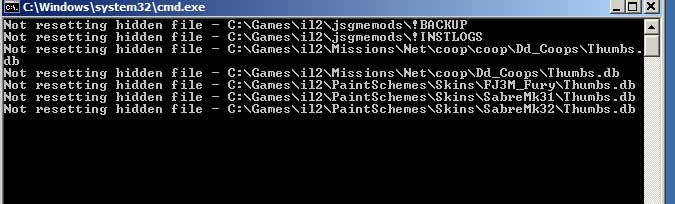
Attached is a command procedure I wrote for you, it will reset the ReadOnly attribute for all files and folders in your c:\games folder.
You can run it whenever the problem re-occurs.
Should it occur each and every time that you start your computer, then put the file in the Startup folder ... so it will run each and every time your computer starts.
Those files are not really a problem there Jim.
Those are some hidden files, you do not really need them to be reset...
Check it, you should be able to change your mission files...
Still no worky for me FT. As soon as I chnge the proerties, by the time I get back to QMT they are read only.
Oh, so they get set to 'Read only' immediately when you change them?
Interesting, will try and look for a different work around, as this one appears to be not working....
This could be a solution, found it somewhere on some forum...
- Right mouse click the C:\Games folder, and select 'properties'
- click 'security' tab
- click 'advanced'
- click 'change permissions'
- click 'add'
- enter 'Everyone' in the 'enter the object name to select' dialog box
- click 'check names'
- click OK
- click 'full control' in the 'allow' column
- click OK
- click the box (turn on) 'replace all child object permissions with inheritable permissions from this object'
- click OK
- confirm any 'are you sure' type messages that pop up along the way
(Note: Make sure you do this on the C:\Games folder, and not any other folder.)
Still no joy. I'll let you run it for me later and see if you can get it to work.
If you have Windows 7 or Vista, could it be from having the game in C:\Program Files? I know that prevents you from making changes to game files under Program Files, but if you move it somewhere outside of Program Files like if you make a folder like C:\Il-2 then it lets you edit stuff.
If you already have it outside of Program Files or have XP, never mind.
Sign in to reply.