
Time To Swap Over To New Gaming Computer With Windows 7.
By Painless, Apr 20, 2012 in Hardware Hell
~S~ Chaps,
First of all............LMAO ! 
Second of all look at this................
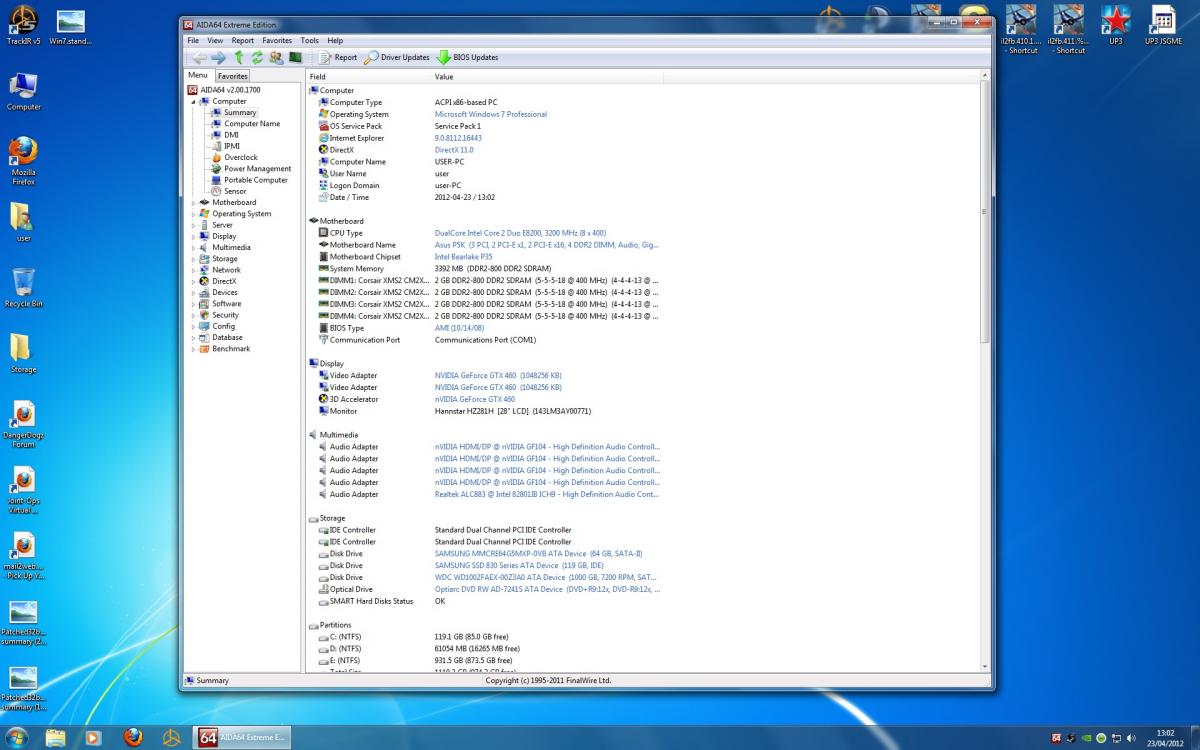
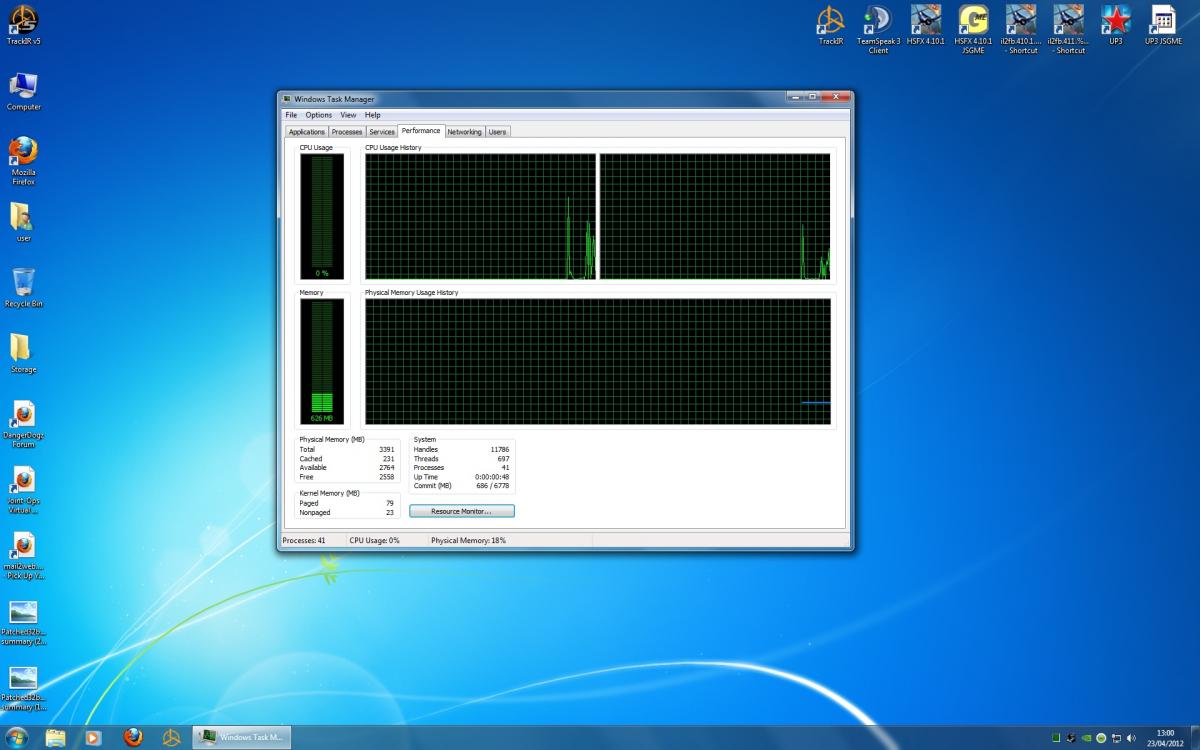
With 4x2GB Ram fitted in standard Win7 32bit mode..........
Now with 4x 2GB Ram fitted in Win7 32bit patched mode.......
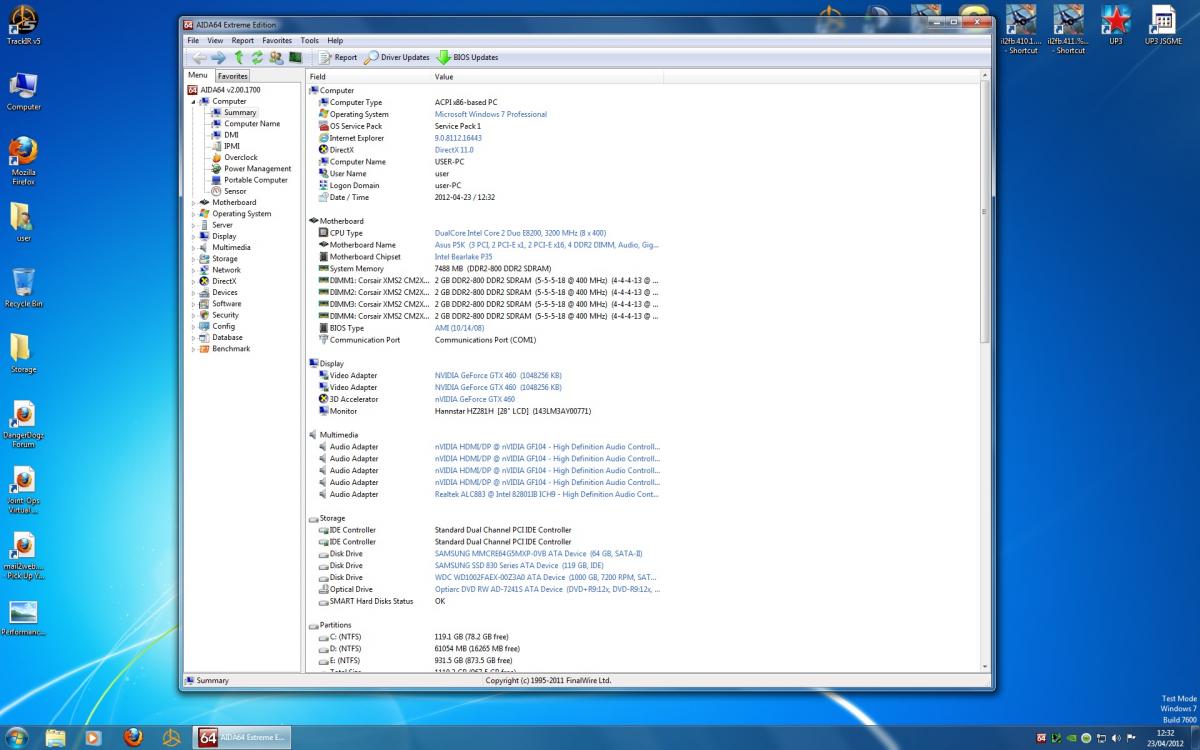
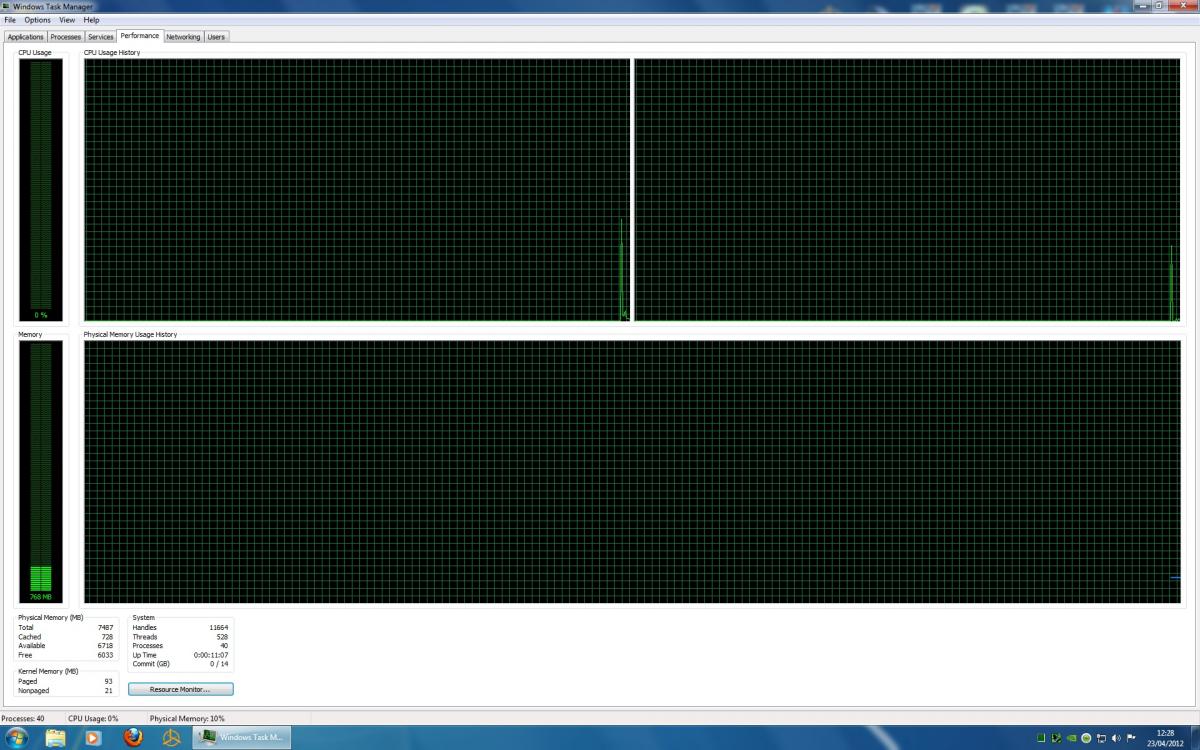
I'm no expert as you guys are painfully aware but the patch seems at least to recognise the extra Ram ?
~S~ P.




Mick.
Stop now and just install 64bit.
If patches like that were deemed robust, ignoring the drivers aspect and inability to run true 64bit apps and any potential issues with Windows update, then you would see this on production systems.
I can tell you one thing for sure, the only advantage to a 32 bit system is it's ability to run 16 bit apps.
Unless you are a geeky nerd with a hankering for the 80's you will never need that.
The vast majority of people and serious gamers are all running 64bit, any one who syas 32 bit is superior is demented and/or seriously deluded.
Any time you move away from the core install by patching to gain extra functionality (yes you can say 'Mods') you are entering a world of potential pain and there will be few with the experience to aid you.
Install 64bit over the top and be done with it, seriously Mick. After 20 plus years in the business that is the best advise I can give you.
PAE and similar workarounds are no more than kludges that will introduce latency, your CPU has to work to do the remapping, why bog it down with more work?

Couldn't agree more.

B-52 Electronic Warfare Officer (EWO) veteran Jack Donovan’s natural response, when he was introduced to the tactics and mission details. His exact reply was: “you want me to fly in the back of a little tiny fighter aircraft with a crazy fighter pilot who thinks he’s invincible, home in on a SAM site in North Vietnam, and shoot it before it shoots me, you gotta be shitting me!
~S~ Rog, Kev, Ross M8s,
OK OK I get it ! 
I will be installing 64 bit as soon as the disc arrives fron uncle JABO. I was just curious to see if that patch worked at all. For gaming purposes the most important thing for me is stability so you guys are of course right. Having bought the 32 bit OS in error I had to at least try. Interesting experiment though
Thanks again for the help.
Cheers, Mick.
Bit more for you, from http://www.sevenforums.com/hardware-devices/193323-possible-use-full-4gb-ram-win7-x86.html#post1628096
 Quote: Originally Posted by flemur13013

Yes, it's possible to access 4Gig from 32 bit Win 7. I've been doing it for a while and never had any problems at all.
Find "4GB-RAMPatch-Multilingual-12.7.2010.exe" and run it.
That's a hack of unknown origin and while it may work, it runs inside the Windows kernel and with full privileges over the entire system. To trust something like this not to mess up your system is insane... It also violates licensing agreements with Microsoft.
That was one posters comment, so far I have gone 3 or 4 pages deep in google and not found an original source.
Underline and bold is my emphasis (as is the red lol).
Now if you were doing this:
http://msdn.microsoft.com/en-us/library/aa366796%28v=VS.85%29.aspx
That at least is clean, but still leaves the system doing clever stuff in the background, and you are still 32bit at the base.
~S~ Rog,
Thanks, I read the http://msdn.microsof...v=VS.85%29.aspx thread ,then I read it again. The fact that it says 163 out of 191 readers found that helpful just made me feel bad ! LOL
So it's a safe way of increasing 32bit memory limits right. I think I had just better install 64 bit M8 
Thanks very much for looking into it Rog.
Cheers, Mick.
~S~ Chaps,
A massive "thank you" to our very own JABO for spending many hours on TS helping me get things sorted.
Thanks also to everyone who steered me in the right direction kicking and screaming
~S~ Painless.
You're welcome. Glad my tinkering with the disk iso's got you a 64-bit pro install without you having to go and buy another copy too.
EDIT: Saved my marriage ! LOL ~S~ P.

Sign in to reply.